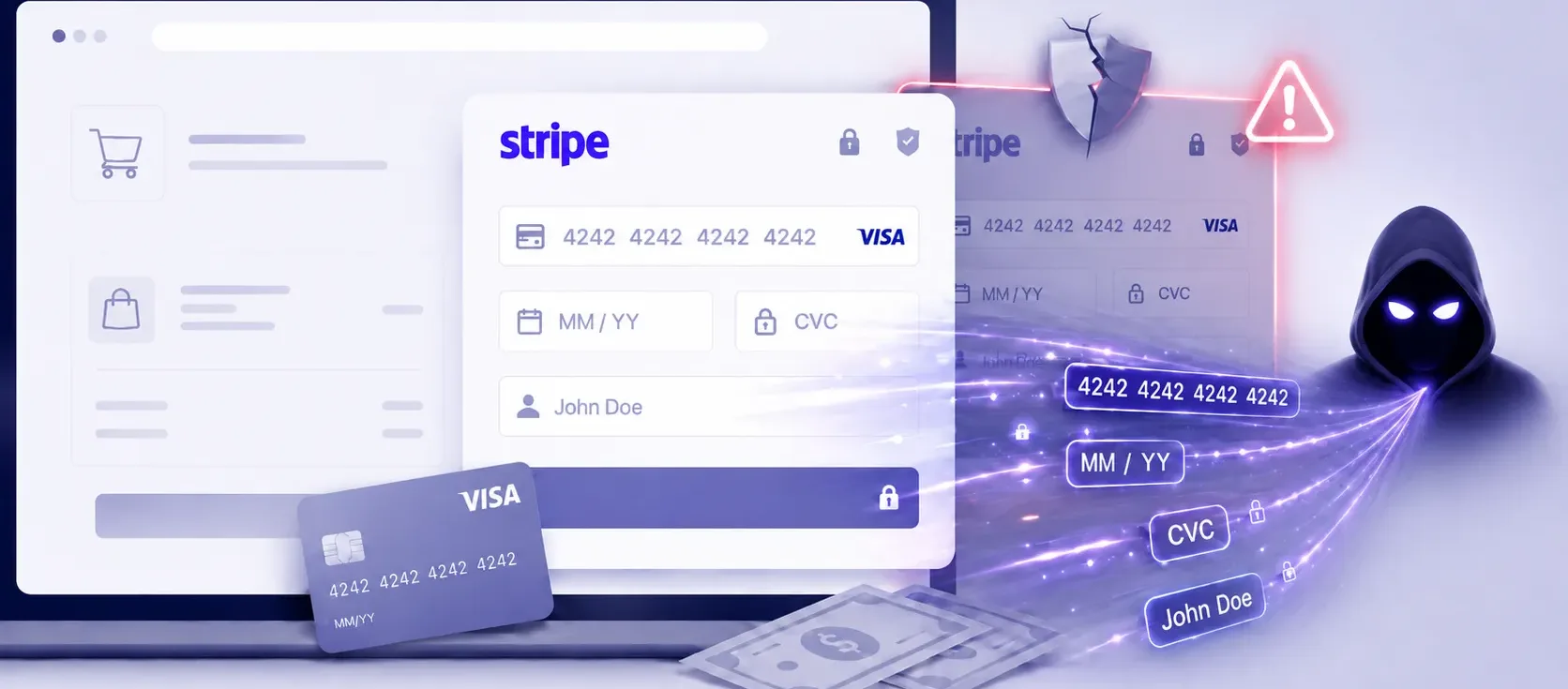
"The skimmer hides the legitimate Stripe payment iframe and overlays a malicious clone. Only valid card data is exfiltrated — the real transaction completes normally."
You know you should add a Content Security Policy to your checkout page. You know Subresource Integrity exists. You've seen the PCI DSS 4.0 requirements for script monitoring and thought, "We'll get to it."
Most ecommerce teams treat these controls as nice-to-haves — things that matter in theory but don't feel urgent when nothing has gone wrong. The checkout works. Customers are paying. Stripe handles the card data. Why add complexity to a page that isn't broken?
Here's why: a campaign that has been quietly operating since August 2024 demonstrates exactly what happens when these controls are absent. Not hypothetically. Not in a lab. In production, on real stores, against real customers.
The Attack That Proves Prevention Isn't Optional
A web skimming campaign discovered by Jscrambler and independently confirmed by Source Defense has compromised at least 49 merchants running WooCommerce, WordPress, and PrestaShop stores. Researchers note that 49 is likely an underestimation.
The attack works in three stages:
-
A loader script disguised as Google Analytics is injected into the checkout page — typically through a vulnerable plugin, theme, or compromised dependency.
-
A base64-encoded obfuscation layer retrieves the final skimmer URL, enough to bypass static analysis by WAFs and basic security scanners.
-
The skimmer hides the real Stripe iframe, overlays a pixel-perfect clone, captures card details, validates them through Stripe's own deprecated API, and sends only valid cards to an attacker-controlled server. The real transaction completes. The customer gets their order.
The campaign has been running for nearly two years. The infrastructure is concentrated — two IP addresses, over 20 related domains, 13 compromised Stripe API keys found in the wild. Some variants also inject fake cryptocurrency payment options (MetaMask wallet windows), likely a future monetisation vector.
None of this required breaking Stripe's encryption. None of it exploited a Stripe vulnerability. The attack operates entirely in the client-side layer — the page around the iframe — that merchants assume Stripe's presence protects.
Why These Attacks Feel Like Someone Else's Problem
There's a predictable psychology at work here.
"We use Stripe, so our PCI scope is limited." True. But PCI scope reduction doesn't protect your checkout page from script injection. Stripe's iframe handles card data processing. The HTML, JavaScript, plugins, and analytics scripts surrounding it are your responsibility.
"We haven't been targeted." You probably haven't been. But the 49 merchants in this campaign likely said the same thing. Skimming campaigns don't announce themselves — this one ran undetected for months. The customer completes their purchase. No error. No chargeback. No support ticket. The theft is invisible.
"A CSP would break our checkout." This is the most common objection, and the most solvable. A restrictive CSP doesn't have to break anything — it has to be tested. Most teams skip the testing, assume it will cause problems, and never deploy it.
"We'll add it when we have time." The Stripe campaign shows what that looks like in practice: nearly two years of silent card theft across 49+ stores, with the full damage still unknown.
What Each Control Actually Stops
Here's exactly how each measure maps to the Stripe skimming campaign.
Content Security Policy (CSP)
What it does: Declares which domains are allowed to execute JavaScript on your page. Everything else is blocked.
What it would have stopped: The Stage 1 loader injection. The skimmer script is served from attacker-controlled domains. A CSP restricting script-src to self and https://js.stripe.com blocks these scripts from executing entirely.
What most checkouts have: No CSP at all, or one with unsafe-inline and unsafe-eval — functionally equivalent to no policy.
A practical minimum for a Stripe checkout:
script-src 'self' https://js.stripe.com;
style-src 'self' 'unsafe-inline';
connect-src 'self' https://api.stripe.com;
frame-src https://js.stripe.com https://hooks.stripe.com;
No unsafe-inline in script-src. No unsafe-eval. No wildcard domains. Test it — then enforce it.
Subresource Integrity (SRI)
What it does: Attaches a cryptographic hash to <script> tags. If the file is modified after the hash is set, the browser refuses to execute it.
What it would have stopped: Supply chain compromises where a legitimate script is tampered with at the CDN, hosting provider, or through a compromised dependency update.
How to implement it:
# Generate an SRI hash for a script
curl -s "https://cdn.example.com/analytics.js" | openssl dgst -sha384 -binary | openssl base64 -A
# Output: sha384-abc123...
<script src="https://cdn.example.com/analytics.js"
  integrity="sha384-abc123..."
  crossorigin="anonymous"></script>
Every third-party script on your checkout page should have an SRI hash. If a script changes frequently (A/B testing, analytics), that's a signal to either pin the version or move to self-hosting.
Real-Time Script Monitoring
What it does: Watches your payment page for unauthorised DOM modifications, new script injections, and unexpected network requests — in real time, in the browser.
What it would have stopped: All three stages of the Stripe campaign. The iframe replacement, the clone overlay, and the exfiltration request to the attacker's C2 server would each trigger alerts.
Why automated scanners miss this: Malicious behaviour often activates only on real checkout pages, and only for specific user sessions. The exfiltration happens from the browser, not the server — so server-side scanners see the page as it's served, not what JavaScript does after it loads.
PCI DSS 4.0 requires this. Requirements 6.4.3 and 11.6.1, mandatory since March 2025, specifically mandate:
- An inventory of all scripts on payment pages, with business justification
- Integrity verification for each script
- Real-time monitoring and alerting for unauthorised changes
If you haven't implemented this yet, you're already out of compliance.
Hardened Iframe Implementation
What it does: Restricts what the Stripe iframe can do using the sandbox attribute, allow permissions, and Feature-Policy headers.
What it would have done: A properly sandboxed iframe is significantly harder to hide and replace. Combined with CSP's frame-src restriction, it limits the attacker's ability to inject a convincing clone without triggering browser-level security mechanisms.
What most merchants do: Embed the Stripe iframe with no sandbox attributes, no frame-ancestors directive, and no monitoring of whether the iframe's src has been modified.
A Quick Self-Assessment
If any of these apply to you, your checkout has the same exposure as the 49 compromised merchants:
- No Content Security Policy on your checkout page
- CSP exists but includes
unsafe-inlineorunsafe-evalinscript-src - Third-party scripts load without SRI hashes
- No real-time monitoring of your payment page's DOM
- You couldn't list every script that runs on checkout if asked
- Plugins or themes haven't been audited for unnecessary script loading
- You rely on Stripe's iframe as your primary checkout security control
Each item you can address is a path this attack — or its successor — can't use.
What Comes After Stripe
The Stripe API skimming campaign is one example of a pattern that will be adapted to other payment processors, other checkout frameworks, and other injection techniques.
The specific tools will change. The principle won't: client-side attacks exploit the gap between what your server serves and what your customer's browser actually runs. That gap is your checkout page — and it's your responsibility to defend.
The controls that close it — CSP, SRI, script monitoring, iframe hardening — are well-documented, widely supported, and now explicitly required by PCI DSS 4.0. The only thing missing is the decision to implement them before something goes wrong.
Where to Start
You don't need to implement everything at once.
-
Audit your checkout page scripts. Open DevTools, go to the Network tab, filter by JS. Identify every script. If you can't explain why it's there, investigate.
-
Add a CSP in report-only mode first. Use
Content-Security-Policy-Report-Onlyto identify what would break without blocking anything. Fix conflicts. Then enforce. -
Add SRI hashes to your third-party scripts. One afternoon of work for ongoing protection.
-
Start script monitoring. PCI DSS 4.0's enforcement deadline has passed. If you haven't started, this is the one to prioritise.
Sources
- Jscrambler — Stripe API Skimming Campaign: Additional Victims & Insights
- Source Defense — Sophisticated Payment Card Skimming Campaign Conceals Itself by Leveraging Stripe API
- Hackread — Hackers Exploit Stripe API for Web Skimming Card Theft on Online Stores
- Infosecurity Magazine — Stripe API Skimming Campaign Unveils New Techniques for Theft
- PCI Security Standards Council — PCI DSS 6.4.3 and 11.6.1
- Basis Theory — Payment Page Security: Embracing PCI 6.4.3 and 11.6.1