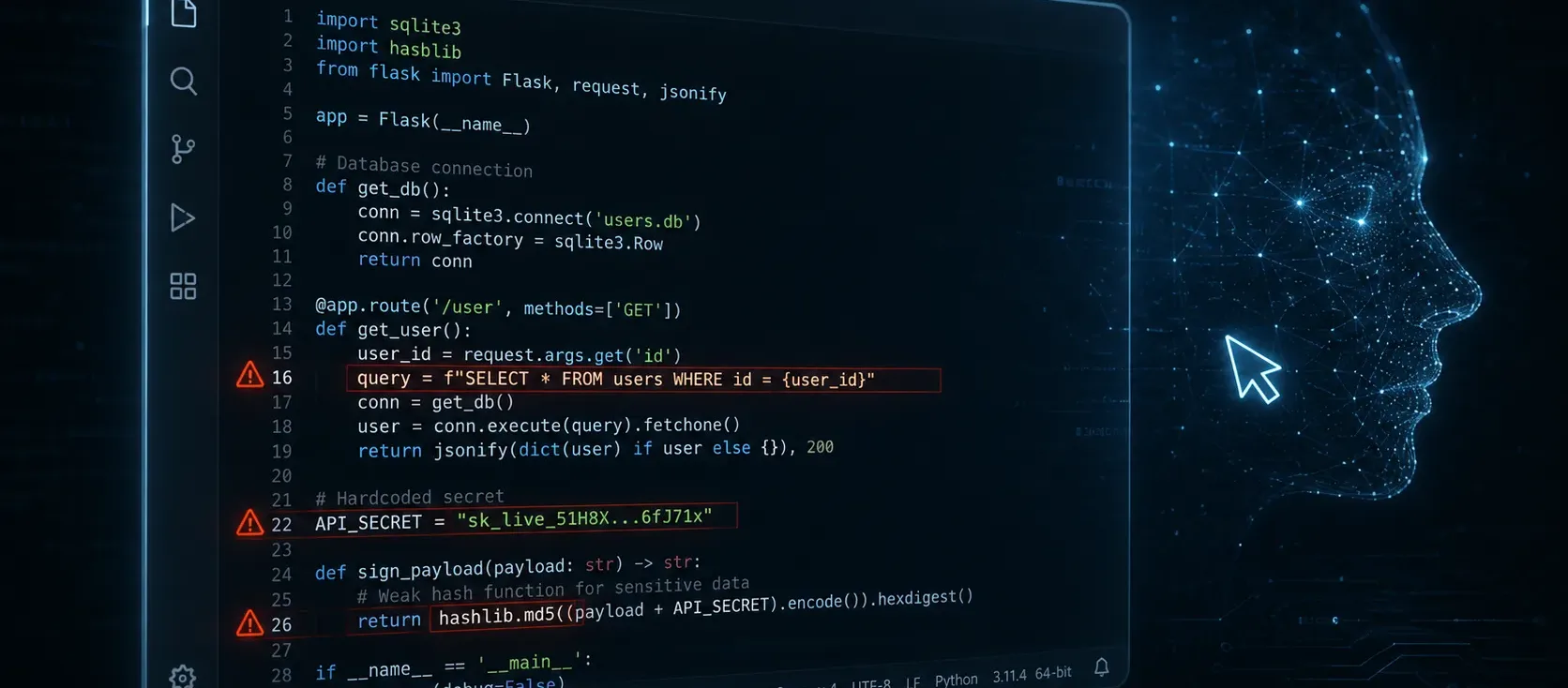
You asked an AI coding agent to write a login handler. It produced working code in seconds — complete with password hashing, database queries, and error handling. It looks clean. It passes your basic tests. You ship it.
There is a reasonable chance it also contains a security flaw that a static analysis tool would flag in the first five minutes.
AI coding tools like Claude Code, Cursor, and Codex have changed how software gets written. But they have also introduced a new class of risk that most development teams have not caught up with yet. This guide covers what the data actually says, what goes wrong most often, and what you can do about it — whether you are a solo developer or a small team shipping code fast.
What the Data Shows
The numbers are not subtle.
Veracode's 2025 GenAI Code Security Report tested code generated by over 100 large language models across Java, Python, C#, and JavaScript. Their findings:
- 45% of AI-generated code samples failed security tests and introduced OWASP Top 10 vulnerabilities
- Java was the riskiest language tested, with a 72% security failure rate
- Bigger and newer models did not improve security. Scaling up the model size did not translate to safer output — and Veracode's follow-up testing through early 2026 found the pattern still holding, with security pass rates for newer models like GPT-5 and Claude Sonnet 4.5 clustering around the same 50–55% mark as their predecessors
CodeRabbit's December 2025 "State of AI vs Human Code Generation" report, which compared 470 real-world GitHub pull requests, found a similar gap from a different angle:
- AI-co-authored pull requests contained roughly 1.7 times more issues overall than human-only pull requests
- For cross-site scripting specifically, AI-generated code was 2.74 times more likely to introduce the vulnerability than human-written code
Apiiro's research across Fortune 50 enterprises found similar patterns at scale:
- 322% more privilege escalation paths in AI-assisted codebases
- 153% more design flaws
- 40% increase in secrets exposure (hardcoded API keys, tokens, credentials)
An earlier academic study analyzing GitHub Copilot output found that 29.6% of Copilot-generated code snippets contained security weaknesses, spanning 38 different CWE categories — including OS command injection, insufficient randomness, and code injection.
The pattern is consistent across every source: AI tools write functional code quickly, but that code disproportionately fails basic security checks.
Why Bigger Models Are Not Safer
The intuition behind using a larger model is straightforward — more parameters, more training data, better code. But Veracode's research showed this does not hold for security.
The reason is simple: AI models learn patterns from the code they were trained on. A significant portion of public code on GitHub and similar platforms contains vulnerabilities. Models trained on this data learn insecure patterns as readily as secure ones. They do not have an internal "security reviewer" that catches mistakes — they generate statistically likely completions.
A model asked to write a database query will produce the most common pattern from its training data. If that pattern is string concatenation rather than parameterized queries, the model will confidently produce SQL injection.
The Five Vulnerabilities AI Introduces Most Often
Not all security flaws are equally common in AI output. Based on the research data, these five categories appear most frequently:
1. Hardcoded Secrets and API Keys
AI tools frequently generate code with placeholder credentials that look real — sample API keys, database connection strings with embedded passwords, or hardcoded tokens. When developers copy this code into production without replacing every placeholder, real secrets end up in the source.
This is the most dangerous vulnerability because it is also the easiest to miss. The code works. The tests pass. But the secret is sitting in a file that anyone with repository access can read.
2. SQL Injection via String Concatenation
When asked to query a database, AI models often default to string concatenation or f-strings to build SQL queries. This is the fastest way to write a query, and it is also the fastest way to create a SQL injection vulnerability. Parameterized queries are the standard fix, but AI models do not always reach for them unless specifically instructed.
3. Weak Cryptography
AI tools sometimes generate code using outdated or weak cryptographic functions — MD5 for password hashing, ECB mode for encryption, or static initialization vectors. These are syntactically correct and will run without error, but they provide no meaningful security. The code compiles, tests pass, and the vulnerability sits quietly in production.
4. Missing Authorization Checks
When AI generates an API endpoint or a function that accesses sensitive data, it sometimes omits authorization checks entirely. The code handles the request correctly from a functional standpoint — but it does not verify whether the caller is allowed to access the resource. This creates a privilege escalation path that is invisible during normal testing.
5. Command Injection
AI-generated code that interacts with the operating system — running shell commands, processing file paths, or handling system calls — sometimes passes user input directly to system commands without sanitization. The classic os.system() or subprocess.call() with an unescaped argument is a reliable AI output pattern.
Three Layers of Protection
You do not need to stop using AI tools. You need to add checkpoints that catch what the AI misses.
Layer 1: At the Prompt
The first line of defense is how you ask. AI models produce better code when given explicit security requirements:
- Instead of: "Write a function to query the users table"
- Try: "Write a parameterized SQL query to select users by email. Use prepared statements. Do not use string concatenation for the query."
Adding security constraints to your prompt is not foolproof — but it shifts the probability toward safer output.
Layer 2: Before Commit
Add lightweight automated checks that run before code enters your repository:
- Gitleaks — scans for hardcoded secrets in staged files. Free, takes seconds to run, catches the most common AI mistake.
- Semgrep — pattern-based static analysis that catches SQL injection, command injection, and insecure crypto patterns. Free tier available.
- Pre-commit hooks — tie these tools together so checks run automatically on every commit.
This layer is low-effort and high-impact. Most of these tools take under 30 minutes to set up.
Layer 3: In CI/CD
For teams with continuous integration, add automated security scanning to your pipeline:
- GitHub CodeQL — free for public repositories and for use in GitHub Actions. Detects a wide range of vulnerability patterns.
- Dependency scanning — GitHub's Dependabot or Snyk can catch vulnerable dependencies that AI tools sometimes introduce when auto-completing package imports.
These checks run automatically on every pull request. They catch issues that manual review misses, especially when code volume increases — which is exactly what happens when AI tools accelerate your output.
A Realistic Example
Here is what an AI-generated login handler might look like in Python:
import sqlite3
import hashlib

def login(username, password):
    db = sqlite3.connect("shop.db")
    query = f"SELECT * FROM users WHERE username='{username}' AND password='{hashlib.md5(password.encode()).hexdigest()}'"
    result = db.execute(query).fetchone()
    if result:
        return {"status": "ok", "user": result[1]}
    return {"status": "denied"}
This code runs. It handles login. It returns a result. But it has three distinct vulnerabilities:
- SQL injection via f-string query construction
- Hardcoded database path (minor, but a pattern to watch)
- MD5 password hashing — cryptographically broken, trivially reversible with rainbow tables
A developer using AI to "write a login function fast" could ship this without noticing any of these issues. Each one requires specific knowledge to identify — the kind of knowledge that AI tools assume you already have.
The Bottom Line
AI coding tools are not going away, and they should not. They make developers faster, and that speed is real. But the security cost of that speed is also real, and it does not go away just because the code was generated rather than typed.
The teams that benefit most from AI-assisted development are the ones that treat AI output the same way they would treat code from a junior developer: useful, productive, and in need of review.
If you are unsure whether the code your team (or your AI tools) are shipping handles authentication, authorization, and data handling correctly, a targeted security review can surface what automated tools miss. Get a security assessment →